Check the story before it becomes the story.
FactCheck Radar is a Chrome extension that lets you fact-check anything in your browser - a tweet, a headline, an article, an image, a screenshot - without leaving the page. Select the text, right-click, and get a full report backed by real sources in seconds.
Reads many pages.
Full report
in seconds.
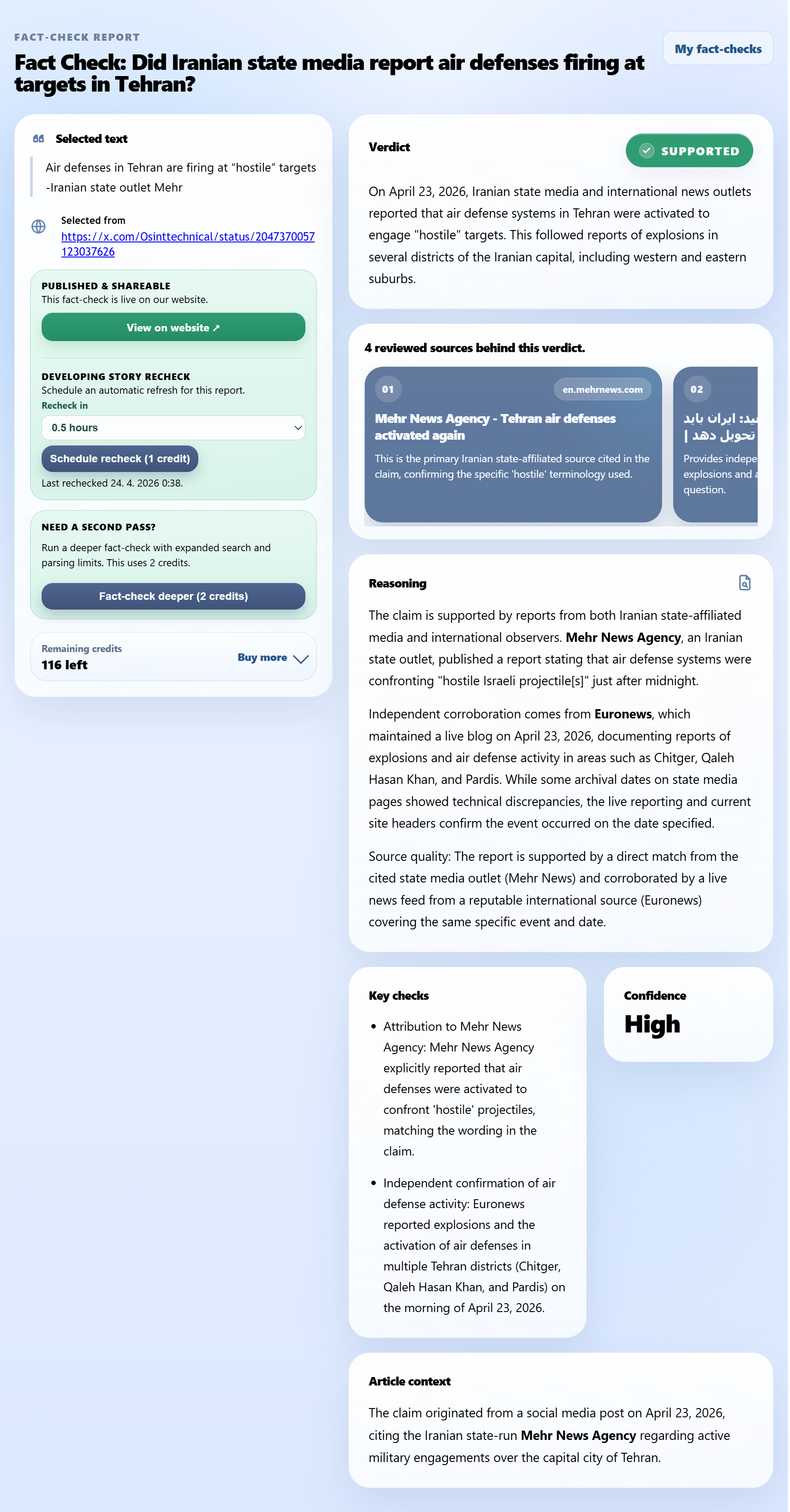
When you trigger a fact-check, the agent searches the web, opens and reads multiple relevant pages, checks dates and source text, and synthesises a structured report - all within seconds. You get a verdict, reasoning, key checks, source links, and a confidence signal. No copy-pasting, no tab-juggling.
Sources in any language → result in clear English
Reads any language.
Reports in yours.
FactCheck Radar can search and read sources in any language, then explain the result in clear plain English. That matters when the best evidence is in local reporting, official pages, regional media, or sources outside the English-language bubble - which is often the case for viral international stories.
Fact-checking with
real-time updates.
For fast-moving stories, the first fact-check is rarely the last word. You have two ways to keep a report current:
- Automatic: tell the extension to re-run the check in X hours. Is there any recent news that could change the verdict? FactCheck Radar checks automatically and rewrites the report if needed. Chrome notifies you when it's done.
- Manual: found a specific article you think matters? Paste the link. The AI reads it, decides if it changes anything, and updates the report in seconds.
Re-runs automatically in 6 hours
How to use the extension
There are three main ways to start a fact-check. Use whichever matches what you are looking at.
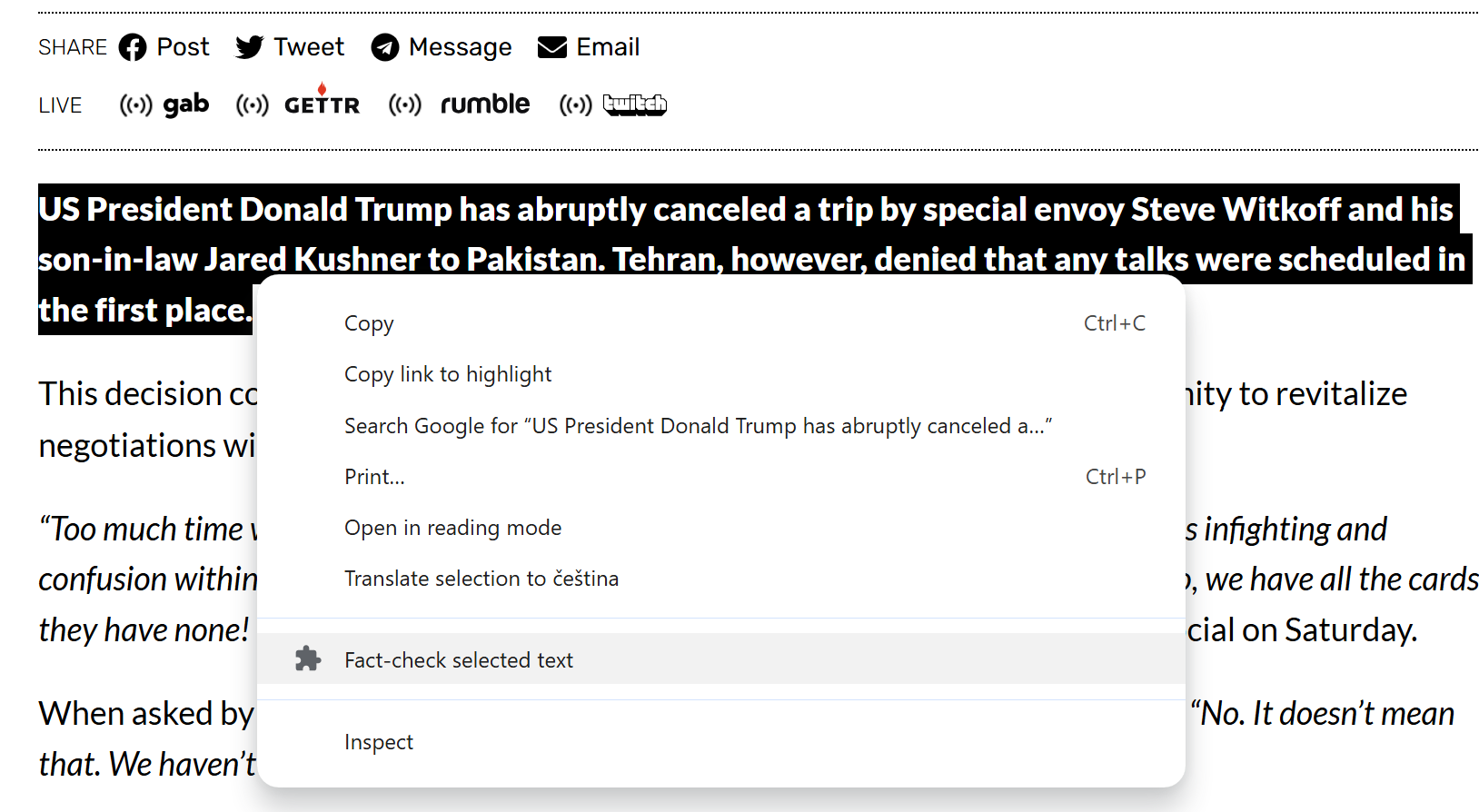
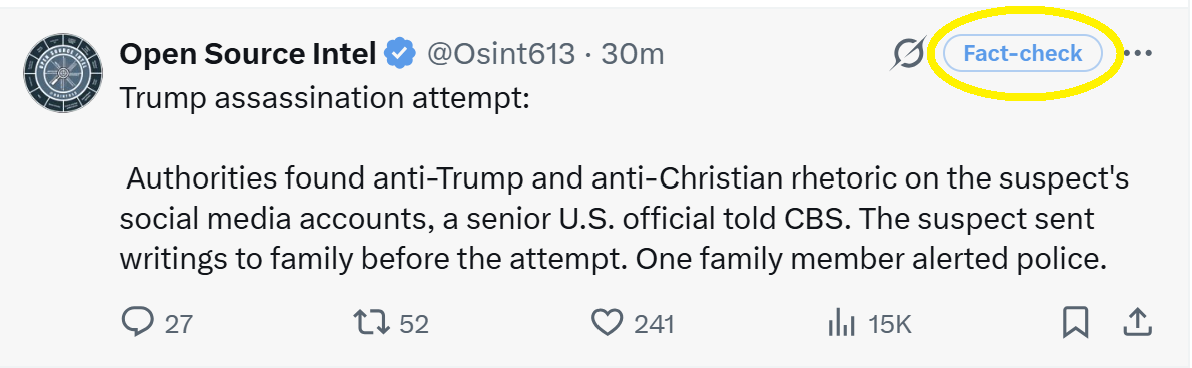
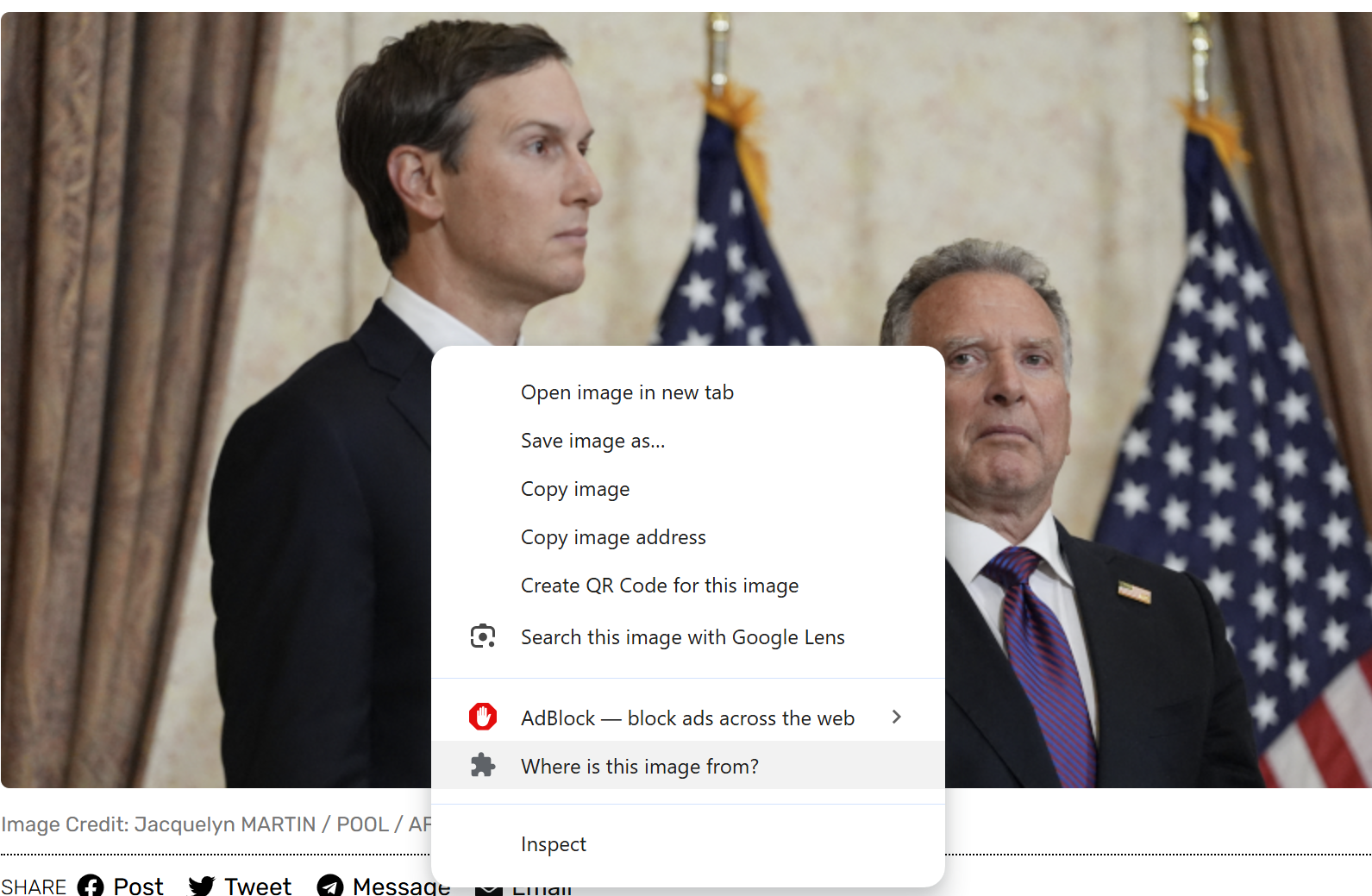
Verdict. Sources. Reasoning. All in one place.
The report keeps the original claim visible, explains the verdict, lists the reviewed sources, and shows the reasoning behind the answer. If the first pass is not enough, use Fact-check deeper. If the story is still developing, you can set it to re-run automatically later from within the report.
Good research shouldn't stay private. Publish the report and it becomes a public page anyone can find, share, or link to.
Install FactCheckRadar
FactCheckRadar is now available in the Chrome Web Store. Install it once, then use it from the right-click menu, tweet button, image menu, or extension toolbar.
- Click Add to Chrome on the Chrome Web Store page.
- Pin FactCheckRadar to your toolbar if you want quick access to your reports.
- Highlight a claim on any webpage, right-click the selection, and choose Fact-check selected text. On X/Twitter, use the Fact-check button shown inside each tweet. To check an image, right-click the image and choose Where is this image from?.